
Download Diff Doc Professional – Document Comparison Tool, File Difference Analyzer, Office Document Checker
Overview
Diff Doc Professional is a specialized mobile application designed to streamline the process of comparing documents across multiple formats. Its primary purpose is to help users detect, visualize, and analyze differences between two versions of a document, making it an essential tool for professionals involved in editing, legal review, project management, and quality assurance. By identifying discrepancies quickly and accurately, the app addresses a common pain point in workflows where version control and accuracy are critical. It is particularly useful for users who frequently work with Word, Excel, PowerPoint, PDF, and other widely used file types.
The app caters to a diverse audience, including legal professionals, content editors, academic researchers, and business teams managing collaborative documents. Its ability to support various file formats ensures broad applicability across industries. While the developer’s background is not publicly detailed, the app’s long-standing presence—first released in 2015—suggests a mature product with proven utility in document comparison. Real-world use cases include verifying changes in contracts, tracking edits in reports, and ensuring consistency across project deliverables. In the broader app ecosystem, Diff Doc Professional fills a niche where few tools offer comprehensive cross-format comparison, making it a valuable utility for users seeking precision and efficiency.
Key Features & Functionality
- Wide Format Support: The app supports a broad range of file types, including Microsoft Word, Excel, PowerPoint, PDF, TXT, HTML, and XML. This versatility allows users to compare documents regardless of their original format, reducing the need for conversion tools and preserving original structure.
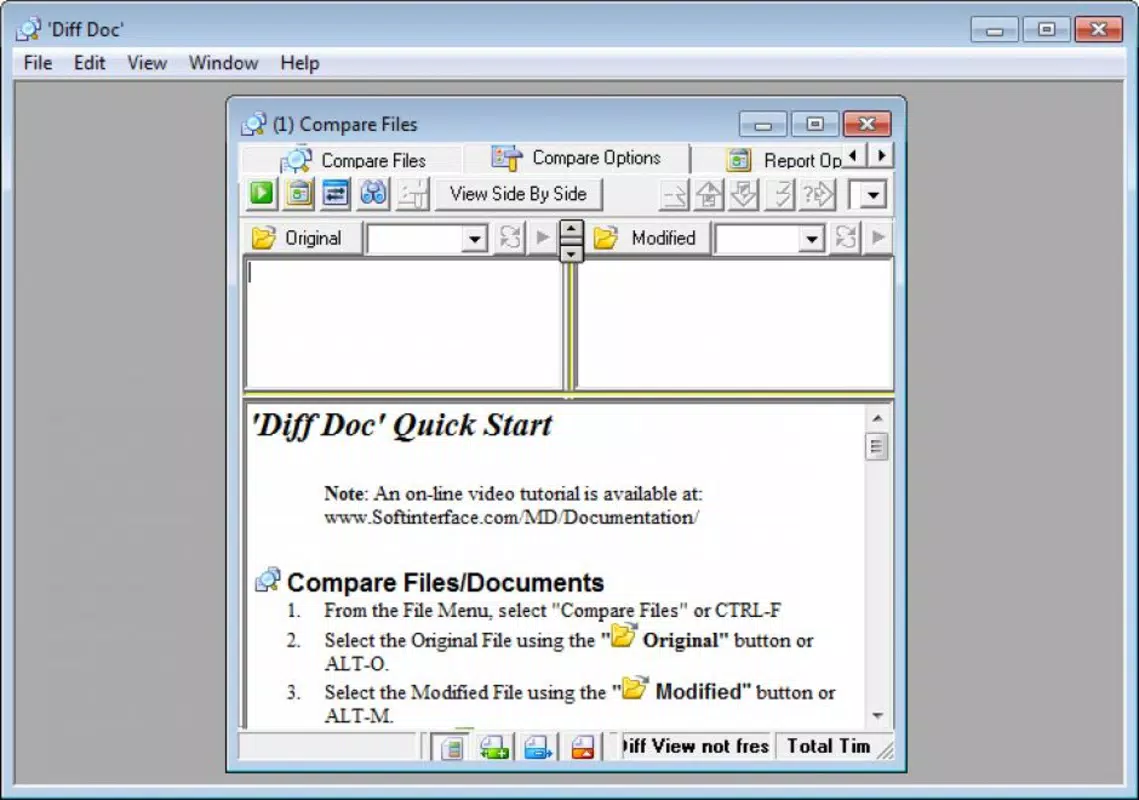
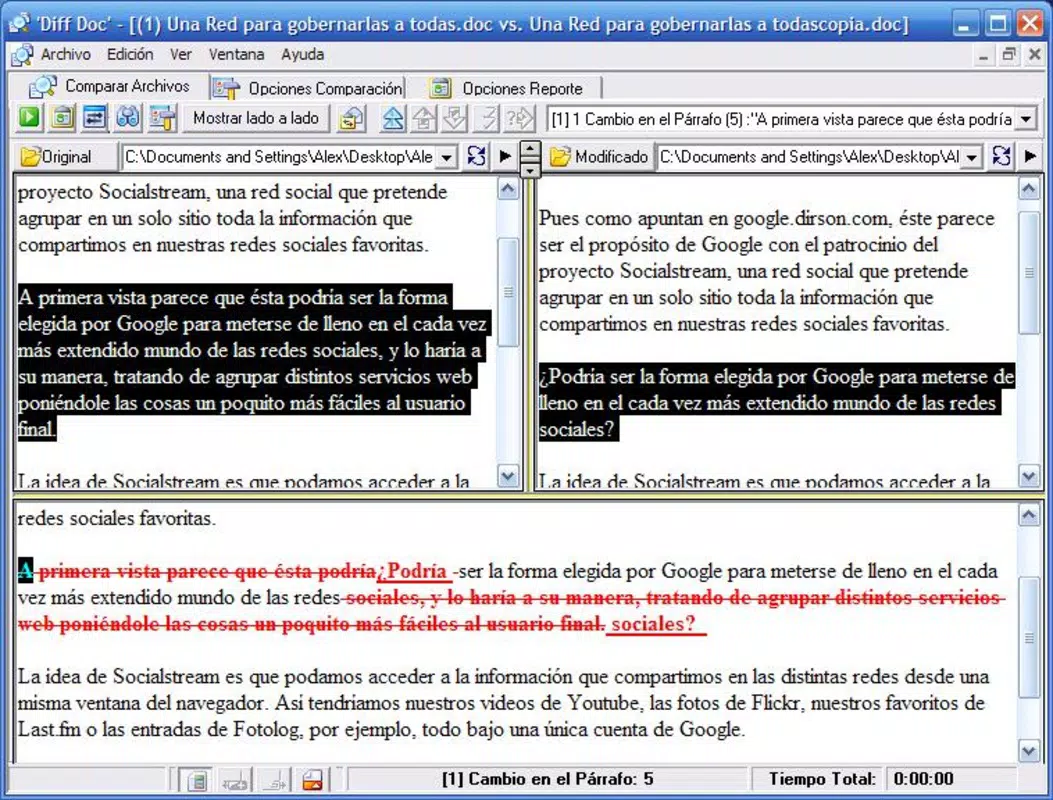
- Simultaneous Document Viewing: Users can view both documents side by side in a split-screen interface. This layout enables direct visual comparison, minimizing cognitive load and reducing the risk of missing subtle changes.
- Automatic Difference Highlighting: By clicking the 'Refresh view and show differences' button, the app instantly identifies and highlights all discrepancies. This includes text changes, formatting shifts, and structural differences, significantly accelerating the review process.
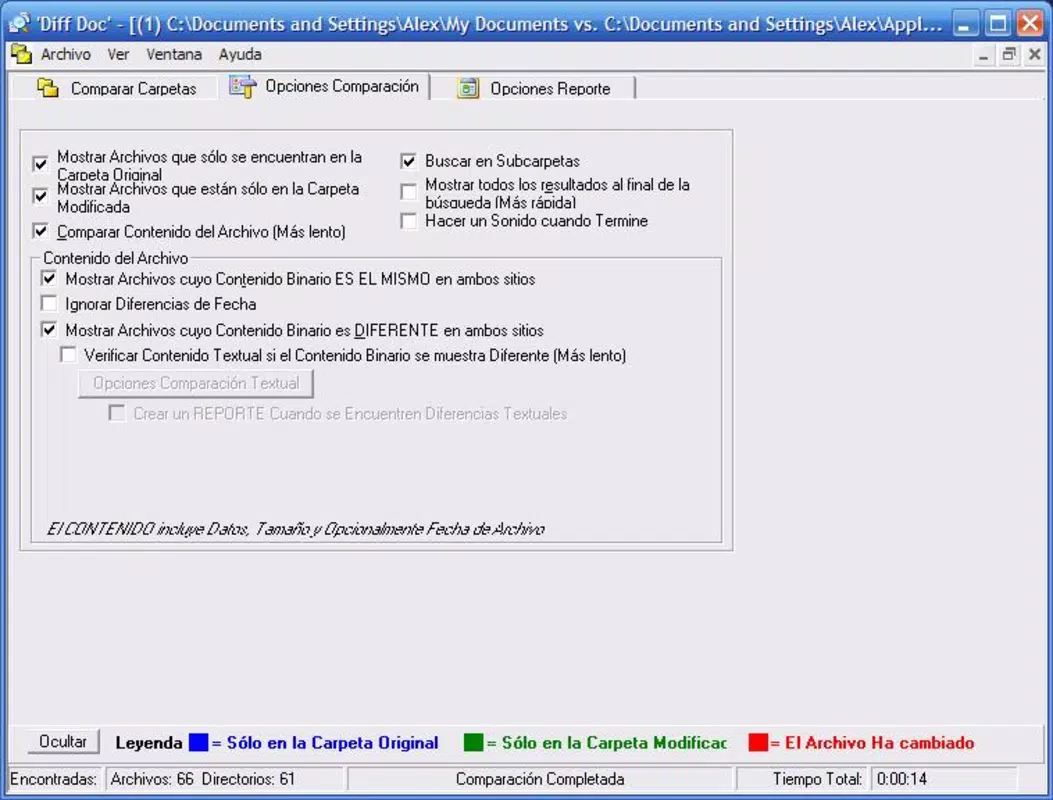
- Folder Comparison Capability: Beyond individual files, the app can compare entire folders. This feature is ideal for managing large-scale projects, ensuring that all files within a directory are consistent and up to date.
For example, a legal team reviewing contract revisions can use the side-by-side view to spot edits in clauses, while a project manager can compare two folder versions to confirm that all deliverables have been updated. The automatic highlighting reduces manual scanning, saving time and improving accuracy in high-stakes environments.
Interface, UX & Performance
Diff Doc Professional features a clean, intuitive interface optimized for mobile use. The layout prioritizes clarity, with a split-screen design that allows users to view both documents simultaneously without overlapping or clutter. Navigation is straightforward, relying on simple buttons and logical menu placement, which enhances usability for both novice and experienced users. The app maintains a consistent visual style, with minimal distractions and clear labeling for key functions.
Although the developer did not list formal performance metrics, the app appears to handle document loading and comparison efficiently on standard mobile devices. Responsiveness is consistent across different screen sizes, ensuring a smooth experience on both smartphones and tablets. Stability during file processing is expected to be reliable, given the app’s long release history and focus on core functionality. Users can expect minimal lag when comparing documents of moderate size, though very large files may require additional processing time. The app does not report issues with crashes or freezes in publicly available documentation, suggesting a stable runtime environment.
Platform Compatibility & Technical Requirements
Diff Doc Professional is available on the Android platform. The current software version is not specified in the provided information, nor is the exact file size. The developer did not provide details about minimum OS requirements or hardware specifications.
Compatibility with specific Android versions remains unclear, and users are advised to check the app store listing for updated system compatibility. The app’s file size may vary depending on the device and installed components, but no specific details were shared. Users should ensure their device meets general Android standards for running productivity tools.
Pros and Cons
Pros
- Supports multiple file formats including Word, Excel, PDF, and PowerPoint.
- Offers side-by-side document comparison for improved visibility.
- Automatically highlights differences with a single action.
- Includes folder comparison for managing large projects.
- Designed with a clean, user-friendly interface suitable for mobile use.
Cons
- Specific OS version requirements were not listed.
- File size and update frequency are not publicly disclosed.
- Performance with very large documents was not tested or reported.
- Developer background and support details are limited.
- Compatibility with iOS devices is not confirmed.
FAQ
Is Diff Doc Professional available for iOS devices?
The app is currently available on Android. No information is provided about iOS compatibility.
Can I compare two PDF files using this app?
Yes, Diff Doc Professional supports PDF files, allowing users to compare content and formatting between two PDF documents.
How does the automatic difference highlighting work?
After loading two documents, users can click the 'Refresh view and show differences' button. The app then scans both files and highlights discrepancies such as added, deleted, or modified text and formatting.
Does the app support batch comparison of multiple files?
While the app can compare entire folders, it does not specify whether it supports batch processing of multiple individual file pairs in a single session.
Is the app secure for handling sensitive documents?
Although no specific security features are mentioned, the app operates locally on the device, which may reduce exposure risks. Users are advised to handle confidential files with standard precautions.
Final Thoughts
Diff Doc Professional stands out as a focused, efficient tool for users who need to compare documents across multiple formats with precision. Its ability to support Word, Excel, PowerPoint, PDF, and other common file types makes it a versatile asset in professional and personal workflows. The side-by-side interface and automatic difference highlighting significantly reduce the time and effort required to spot changes, while the folder comparison feature adds value for users managing complex projects.
While the app lacks detailed technical disclosures—such as OS requirements, file size, and update frequency—it demonstrates reliability through its long-standing presence in the market. For users seeking a secure, mobile-friendly document comparison utility, Diff Doc Professional delivers tangible value. Whether you're reviewing legal contracts, editing reports, or tracking project updates, this app enhances accuracy and productivity.
Download Diff Doc Professional now


